Privacy-first Mac utility

Video files Converted. Stitched. Simple. Clear.

One-time purchase  ·  No subscription  ·  No cloud

That's not the right ...order.
10:29:47 → 10:41:23

Reel Wrangler reconstructs fragmented security and surveillance footage into one chronological review file — automatically, locally on your Mac, without uploading a single frame.

How it works

Three steps. One clear file.

The entire workflow fits in a single window. Drag your clips in — Reel Wrangler does the detective work.

1

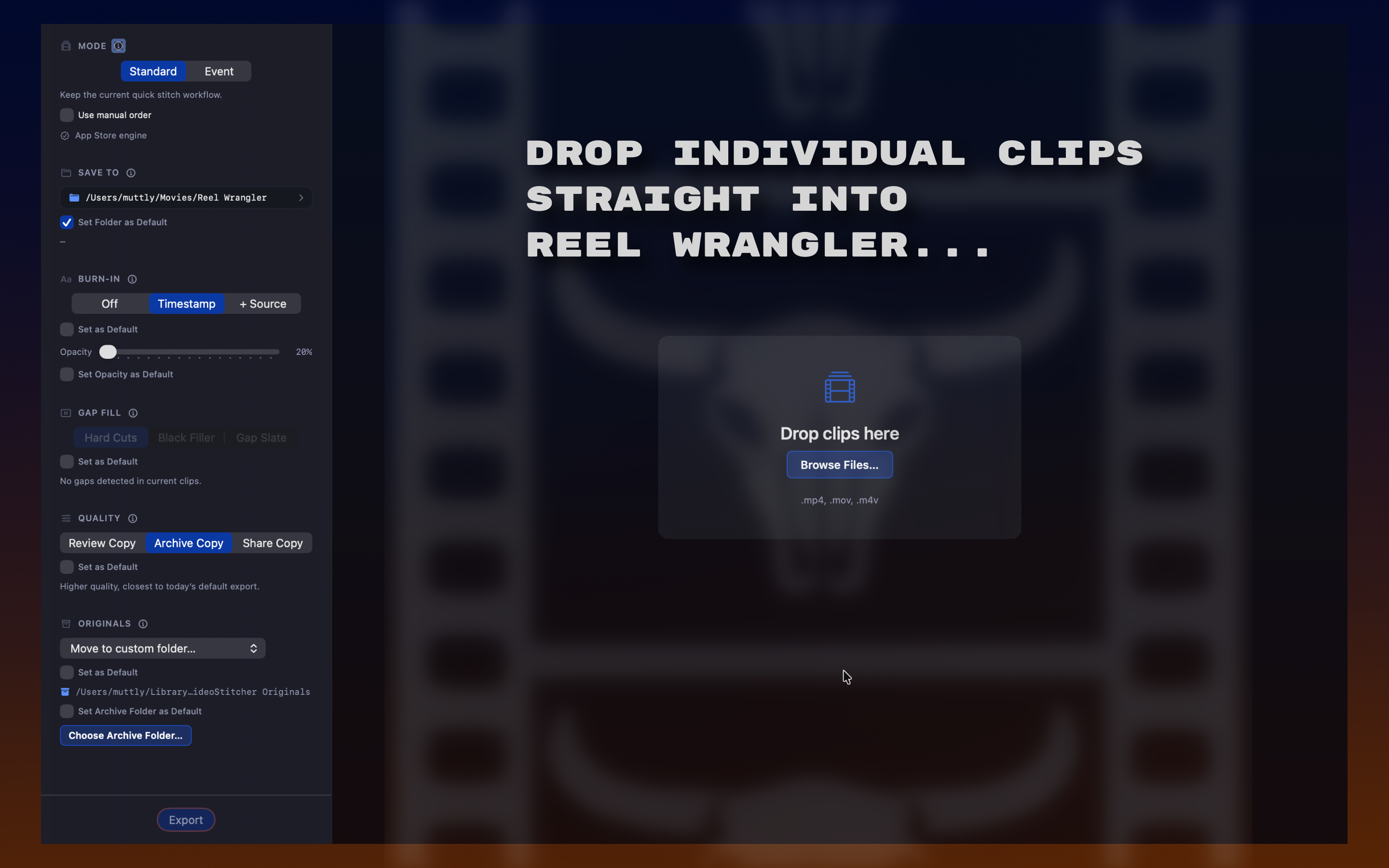
Drop your clips

Drag files onto the window or click Browse. Reel Wrangler reads filename timestamps, file metadata, and filesystem dates to determine chronological order automatically.

2

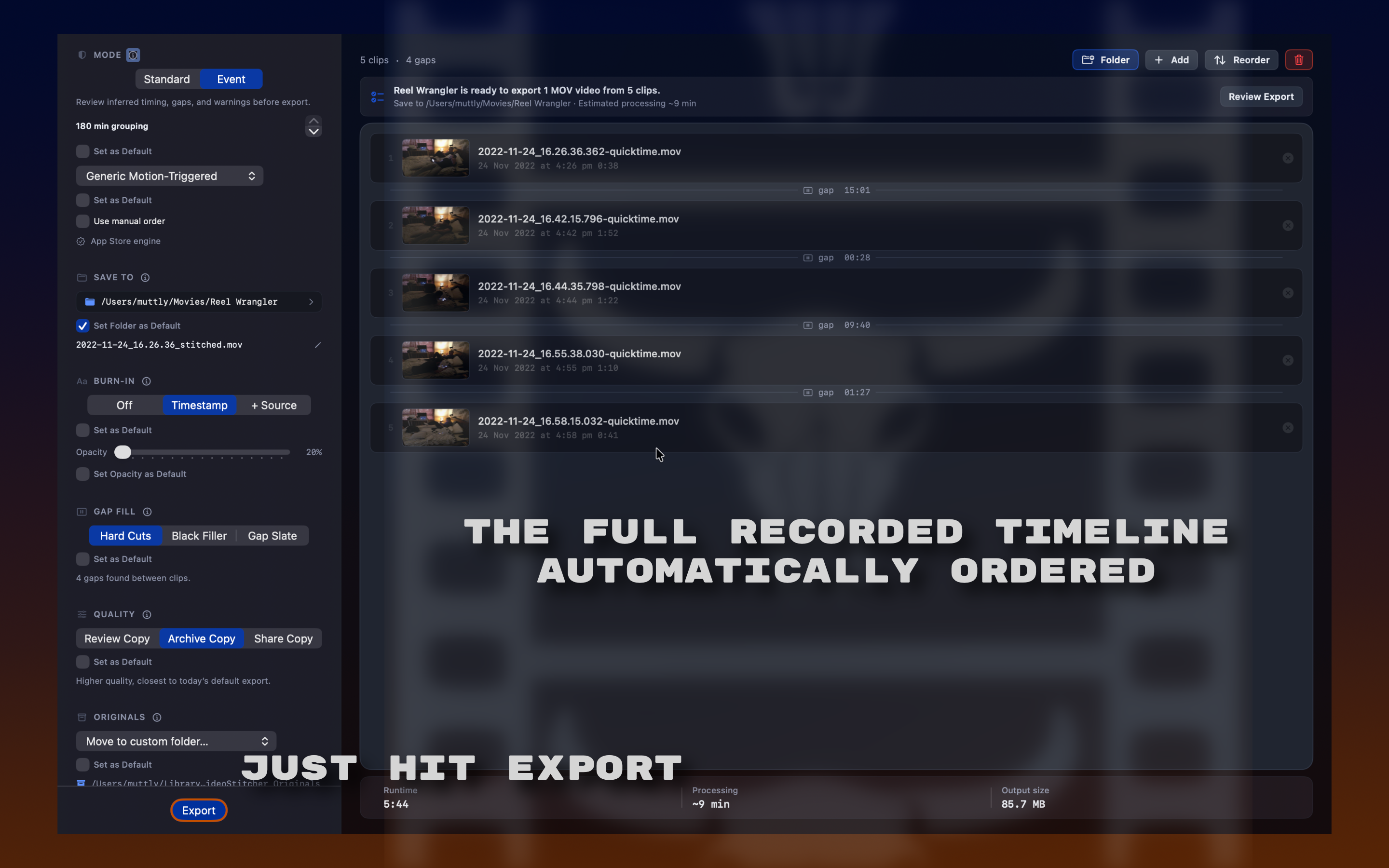
Review the timeline

Check ordering confidence, inspect gaps between clips, and choose how to represent missing time. Override anything that doesn't look right with drag-to-reorder.

3

Export and hand off

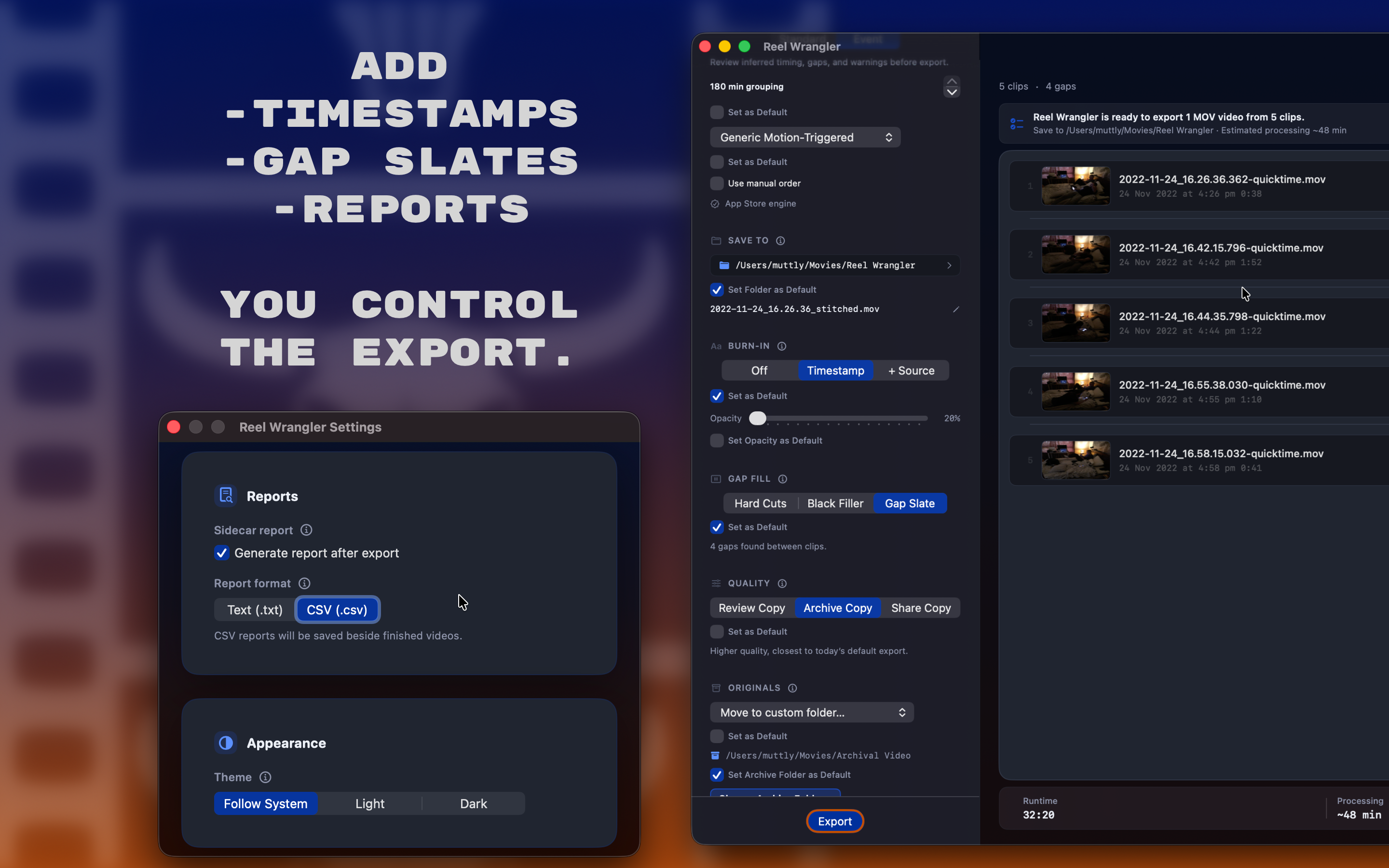
One clean video file, timestamped and ready to review, share, or pass to anyone who needs it. An optional sidecar report records every detail of the reconstruction.

The result: a single .mov file, ready to watch or move into iMovie, Final Cut Pro, Adobe Premiere, or another app for more nuanced editing.
Who it's for

Built for anyone who needs to know what actually happened.

Homeowners

Review doorbell, driveway, and home-security footage quickly — without wrestling with editing software or uploading to anyone's cloud.

Small businesses

Turn shopfront, office, and warehouse incident footage into one practical sequence for internal review, insurance, or handoff.

Property managers

Prepare building, access-control, and incident footage for recordkeeping, reporting, or follow-up — with a clean exportable file every time.

Investigators & legal support

Produce a cleaner review file for internal use, legal support, or insurance follow-up — with timestamp burn-in and sidecar reports that document the reconstruction.

Neighbourhood watch & HOAs

Bring clips from different cameras into one clear sequence for local incident review, sharing with authorities, and follow-up.

Built for footage that doesn't arrive ready to use.

Security cameras export awkward batches of short clips in mixed formats with uncertain timestamps. Reel Wrangler was built for exactly that.

Handles the formats cameras actually export

Security cameras don't always export MP4s. Reel Wrangler Pro handles WebM, MKV, TS, M2TS, AVI, and more — without manual conversion.

Orders clips correctly without manual sorting

Filename timestamps first. If those aren't reliable, file metadata and filesystem dates fill in. Manual override always available when your judgment is better than the metadata.

Shows missing time clearly, not silently

Detects gaps between clips and gives you three choices: cut cleanly, insert black video filler, or drop a slate card that explicitly states the gap duration.

App Store vs Pro

“What format does MY camera use?”

That's the only question that separates the Mac App Store version from Pro. Both versions share the same workflow, the same review tools, and the same privacy-first approach. The difference is which source formats each can accept.

Reel Wrangler and Reel Wrangler Pro share the same reconstruction workflow. The choice is source-format compatibility.
Version Reel Wrangler Mac App Store Reel Wrangler Pro Recommended for most
Best fit Mac-friendly camera exports and App Store purchase preference. Mixed batches, unknown cameras, and awkward security-camera exports.
Distribution Mac App Store Direct download
Input formats .mov .mp4 .m4v .webm .mov .mp4 .m4v .mkv .ts .m2ts .avi
Video engine Apple AVFoundation Bundled FFmpeg + ffprobe
Workflow Drop clips, review order and gaps, export one chronological review file. Same workflow, with broader compatibility for real-world source files.
Processing Local on your Mac Local on your Mac
Buy View on App Store Buy Reel Wrangler Pro

Not sure which format your cameras use? Pro is the safer purchase — it handles everything the Mac App Store version can, plus every awkward real-world format on top.

Pricing

Buy once. It's yours. Forever.

No subscription. No usage limits. No cloud. Upgrades included.

Reel Wrangler

Mac App Store
$4.99
One-time purchase
.mov   .mp4   .m4v
  • Three-step incident workflow
  • Automatic chronological ordering
  • Gap detection and handling
  • Timestamp burn-in
  • Sidecar report export
  • Local processing only
View on App Store

Standard Mac-friendly formats only.

Reel Wrangler exports a file that plays cleanly in any app — from iMovie to Final Cut Pro and Adobe Premiere — so you can take it further whenever you need to.

^ Reel Wrangler reserves the right to change its product pricing at any time without notice.

★ Privacy first

Your footage stays on your Mac.

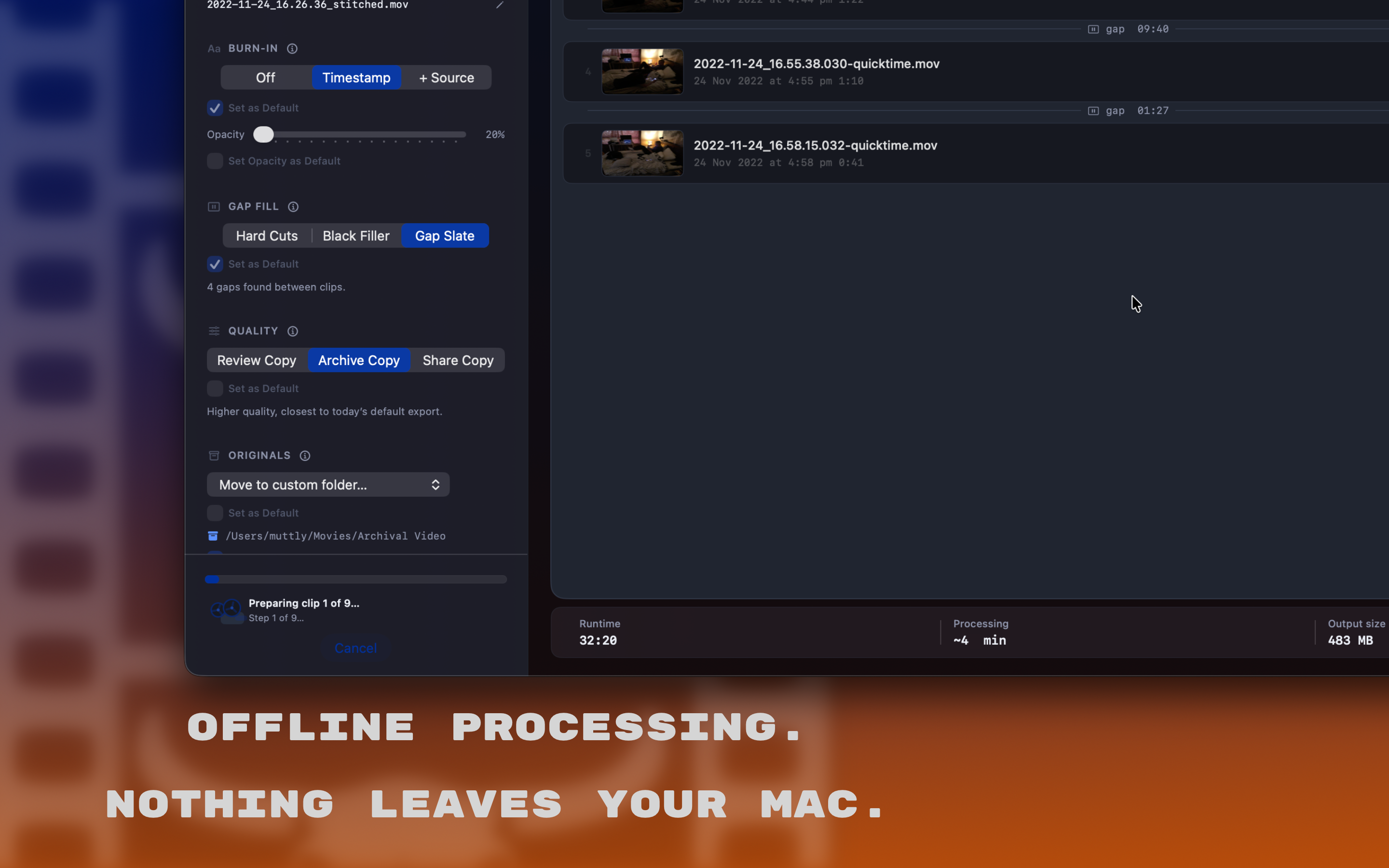
Reel Wrangler is built around local processing. Your clips never leave your machine — not for conversion, not for analysis, not for anything. That matters when the footage is sensitive, involves your home or business, or is simply none of anyone else's business.

FAQ

Common questions.

Is Reel Wrangler a video editor?
No. It is a reconstruction utility — it takes a messy pile of camera clips and turns them into one usable, correctly ordered video. There are no timeline tracks, no effects, no colour grading. It does one job well.
Why are there two versions?
The Mac App Store version uses Apple's AVFoundation framework, which limits input formats to .mov, .mp4, and .m4v. Reel Wrangler Pro is the direct-download upgrade and bundles FFmpeg, which handles a much wider range of real-world camera formats. The split is a platform-compatibility decision, not a feature gate.
Does Reel Wrangler upload my footage anywhere?
No. All processing happens locally on your Mac. No footage, metadata, or report data leaves your machine. There are no accounts, no cloud services, no phone-home behaviour of any kind.
Which version should I buy?
Buy the Mac App Store version if your footage is in .mov, .mp4, or .m4v and you prefer buying through the Mac App Store. Buy Pro if you regularly deal with WebM, MKV, TS, M2TS, or AVI files — or if you're not sure what format your cameras export and don't want to risk a format dead end.
What video formats does Reel Wrangler Pro support?
Reel Wrangler Pro is built for the awkward exports security cameras actually produce: WebM, MOV, MP4, M4V, MKV, TS, M2TS, AVI, and mixed batches that do not all arrive in the same format.
What formats does the Mac App Store version support?
The Mac App Store version supports MOV, MP4, and M4V through Apple's AVFoundation media framework. It is the right fit when your footage already uses standard Mac-friendly formats and you prefer buying through the Mac App Store.
How does Reel Wrangler decide clip order?
Reel Wrangler checks filename timestamps first, then falls back to file metadata and filesystem dates when needed. The goal is to reconstruct a chronological review file while still letting you override anything that does not match your judgment.
What happens when time is missing between clips?
Gaps are made explicit. You can cut cleanly, insert black video filler, or add a slate card that states the missing duration, so the exported video does not silently hide a break in the timeline.
Can I use the exported file in another video app?
Yes. Reel Wrangler creates a clean video file that can be reviewed on its own or opened later in tools such as iMovie, Final Cut Pro, or Adobe Premiere if you want to do additional editing.
Does Reel Wrangler provide chain-of-custody certification?
No. Reel Wrangler helps create a clearer chronological review file and can export supporting reconstruction details, but it does not claim forensic certification or legal chain-of-custody guarantees.
Ready when you are

Video files Converted. Stitched. Simple. Clear.

Reel Wrangler handles the formats real cameras export, puts them in the right order, and gives you one clean video — ready to review, share, or hand off.

macOS 15 Sequoia or later · Apple Silicon & Intel · One-time purchase